
Organize your home office by dividing your desk into active and passive zones. Clear every item off the surface before putting back only what you use every single day. Use cable clips and drawer dividers to keep small supplies and cords from creating visual clutter.
How to organize a home office desk
The first step in desk organization for working from home is the complete reset. Remove every pen, notebook, and electronic device until the surface is totally empty. Wipe the desk down with a damp cloth to remove dust and coffee rings. This blank slate allows you to see the actual space you have available without the distraction of old piles of paper or dried out pens. It usually takes about ten minutes to clear and clean a standard sized desk surface.
Sort through the items you removed and categorize them into three piles. The first pile is for items you touch every hour, like your mouse, keyboard, and phone. The second pile is for things you use once a day, such as a specific notebook or a planner. The third pile is for items you use weekly or less, which should move to a drawer or a shelf. Effective professional organizing relies on keeping the most frequent tools in the most accessible spots.
Creating functional work zones
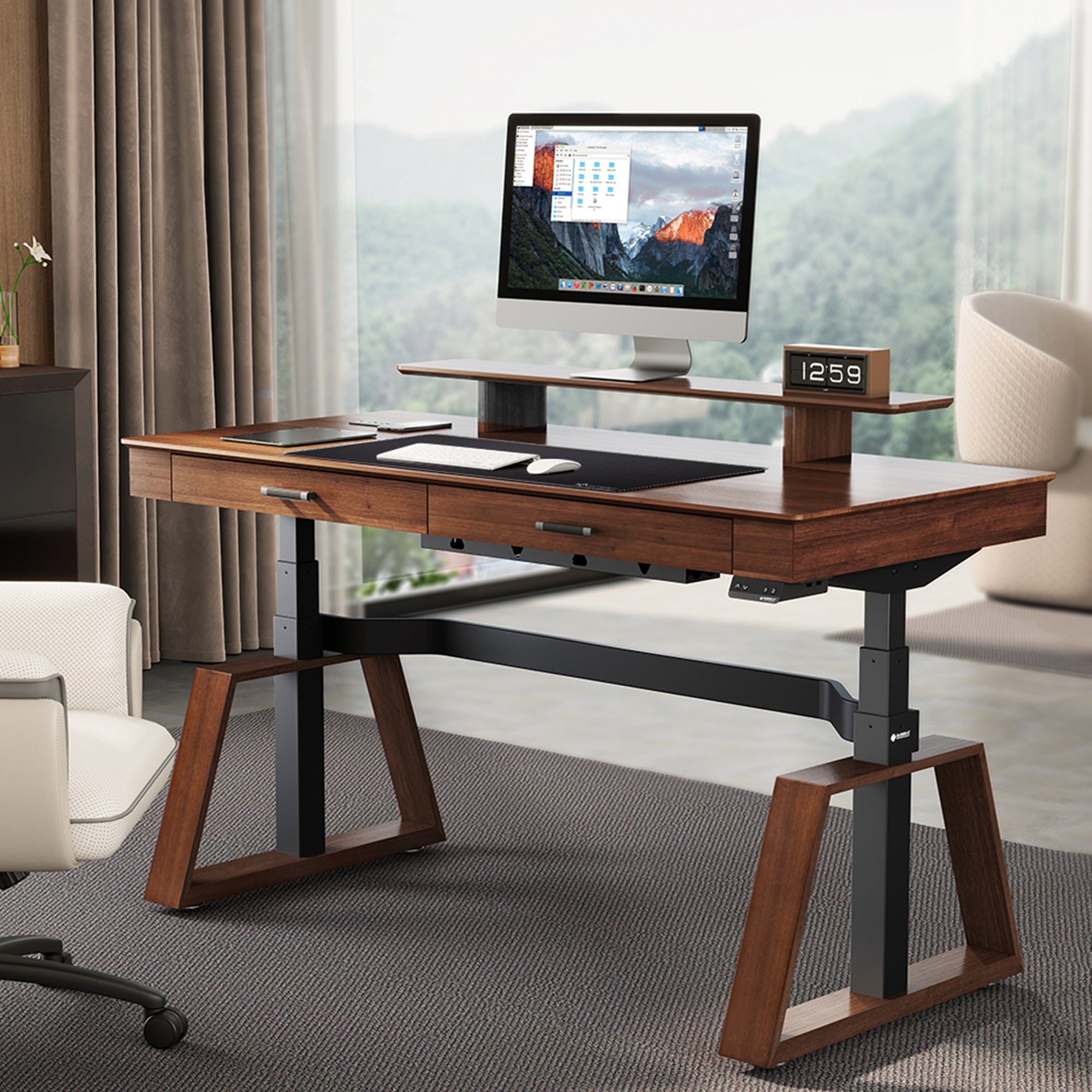
Divide your desk into two main areas to maintain order throughout the day. Your primary zone is the circle directly in front of you where your arms move naturally. Only your computer and immediate input devices should live here. The secondary zone is the back and sides of the desk. This is where you place a lamp, a drink coaster, or a small plant. Keeping the center clear prevents that feeling of being boxed in by your own belongings.
- Place your monitor at eye level to reduce neck strain.
- Keep your dominant hand side clear for mouse movement or taking quick notes.
- Position your phone on a stand to keep it off the flat surface.
- Store reference books or heavy files in a vertical sorter at the far corner.
Managing cables and electronics
Loose cords are the most common cause of a messy looking desk. Use adhesive cable clips on the back or underside of your desk to route charging cables for your phone and laptop. This prevents them from slipping onto the floor when you unplug your devices. If you have a power strip, tuck it into a cable management box on the floor or mount it under the desk surface with heavy duty hook and loop strips. This single change can make a home office feel twice as clean.
Group your cables by their function using small hook and loop ties. Do not use plastic zip ties because they are difficult to remove if you need to move your equipment later. Label each cord near the plug so you never have to crawl under the desk to guess which one belongs to the printer or the monitor. Dedicate twenty minutes to this task and you will not have to touch it again for months.
- Group monitor and power cables together with reusable ties.
- Use a weighted cable holder for your phone charger.
- Route wires along the legs of the desk using clear clips.
- Switch to a wireless mouse and keyboard to eliminate two extra cords.
Maintaining a tidy drawer system
Drawers often become junk bins if they do not have internal structure. Use shallow bins or expandable dividers to create a home for every small object. Group like items together, such as paperclips in one small square and sticky notes in another. When everything has a specific spot, you are more likely to put it back after use. This is a core principle of daily housekeeping that saves time during the work week.
Check your drawers once a month to remove trash or items that have migrated from other rooms. It should only take five minutes to straighten the bins and test your pens. If a drawer is overflowing, it means you are keeping too many backups. Keep only two or three spare pens in the desk and move the rest to a general supply closet. A lean drawer makes it easy to find what you need without rummaging.
The end of day reset routine
The last five minutes of your workday should be spent returning the desk to its starting state. Close all your browser tabs, shut down the computer, and put your pens back in their holders. Throw away any scrap paper or snack wrappers that accumulated during the afternoon. This habit signals to your brain that work is over and ensures you start the next morning with a calm environment. A clean desk is a practical tool for better focus.
- Clear away all coffee mugs or water glasses.
- File any loose papers into their designated folders.
- Wipe the keyboard and mouse with a microfiber cloth.
- Push the chair in and straighten the desk mat.
